Most teams that ship AI features end up with the same problem. The prompt that decides what a customer reads lives in a string in the code, a notebook, or a vendor console. It changes without review, nobody can say which wording produced last Tuesday's bad answer, and the person who signs off on risk has no record to look at. InsightPrompts is the registry and release process for those prompts.
What it is
InsightPrompts is a prompt registry with a release process around it. Every prompt has an owner, a team, a business
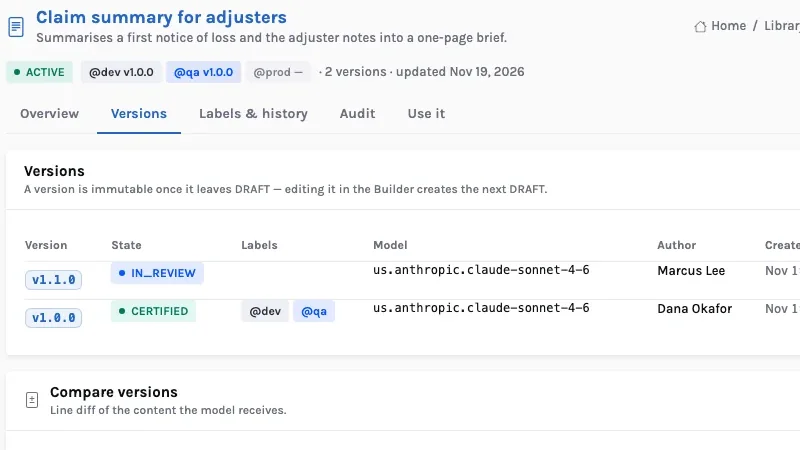
function, a criticality tier and a PII classification. Its wording lives in versions: a version is
immutable once it leaves draft, so "v1.1.0" always means the same system prompt, template, variables and model settings.
Three environment labels, @dev, @qa and @prod, point at versions.
Releasing is moving a label. Rolling back is moving it back.
The four stages map onto the left-hand menu of the product:
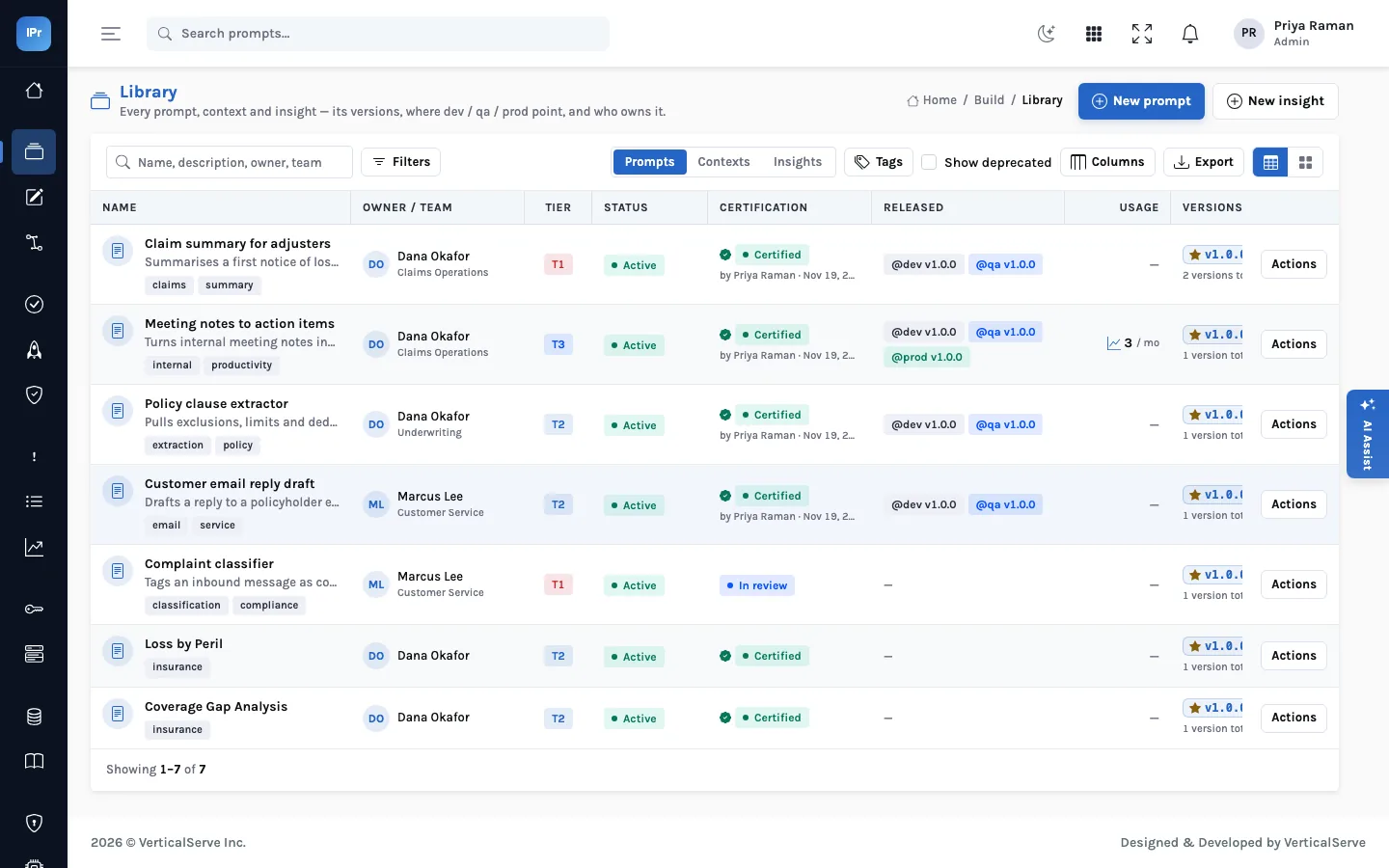
- Build. The Library lists every prompt, context and insight with its owner, tier, certification and where each
label points. The Prompt Studio edits the system prompt, the template with
{{variables}}, few-shot examples, model parameters and governance fields. - Test. Test sets hold question and expected-answer rows. The Test bench runs a version ad hoc or against a set, and Experiments compare versions across many real model calls.
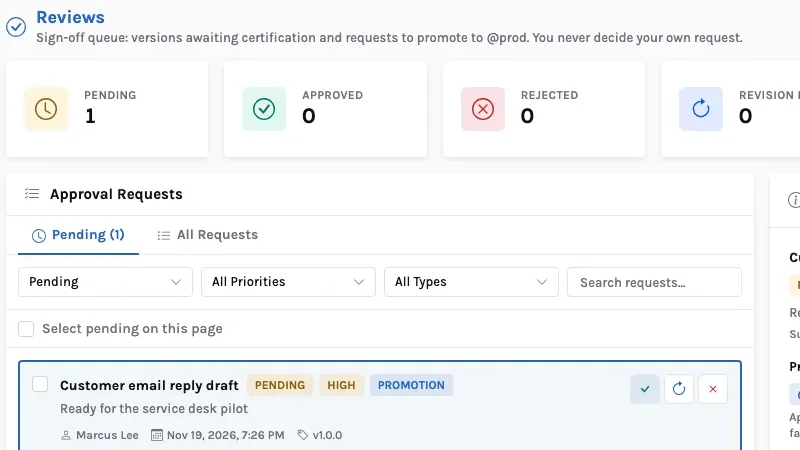
- Release. A version is submitted for review, approved and certified by someone other than its author, then
promoted label by label. The path to
@prodhas extra gates, described in a separate article. - Operate. Applications get an app token and call the consume API. Every call leaves a trace. Apps can flag bad outputs, people can leave feedback, and Analytics shows usage, latency, spend and quality by prompt and version.
Who it is for
Three groups use the same registry for different reasons.
- Platform and AI engineering teams get one place to keep prompts out of application code, with versions, diffs and a consume API that returns the released wording and model settings.
- Product teams and prompt authors write and test in the Studio and Test bench, and request promotion through a review queue instead of a pull request to someone else's service.
- Model risk, compliance and security get a register: who wrote each version, who certified it, which apps may call it, what evidence exists, and which controls are still open. The Model risk page computes that list from the registry itself.
Releases you can point at
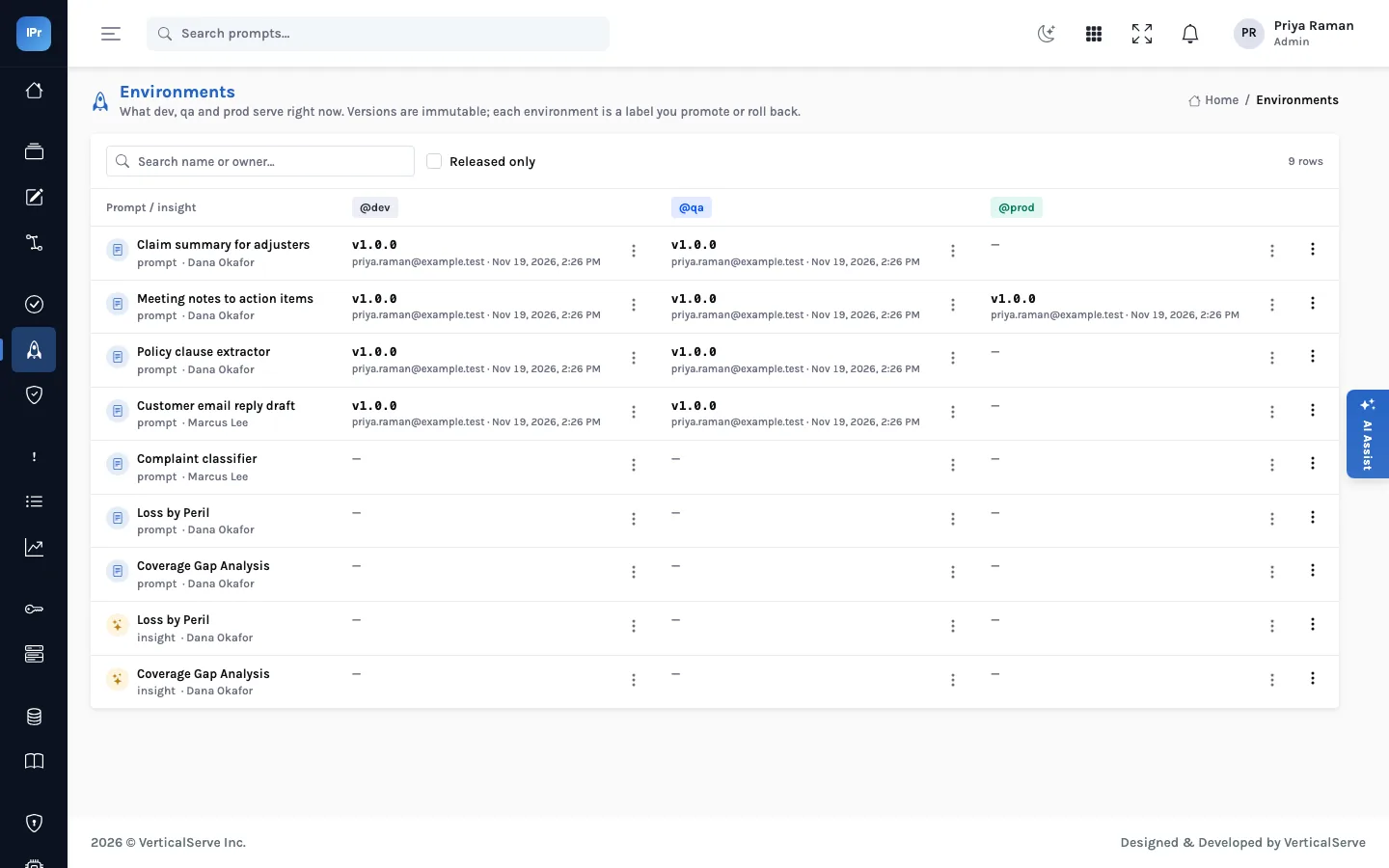
The Environments page is the simplest way to see the idea. Each row is a prompt or insight; each column is a label; each cell
says which version that label serves, who moved it and when. A blank @prod cell means applications calling with a
production token get nothing for that prompt: they receive a "not released to prod" answer rather than whatever the latest draft
happens to say.
Prompts and insights
A plain prompt is a template with variables. An insight bundles a prompt with context: items that are resolved at run time and fed into the template. Context items can be inline text, a SQL query against a registered data location, an API call, documents, or extracted values. Insights have their own versions, certification and labels, so the data a prompt sees is released the same way as its wording.
Where it runs
InsightPrompts is a FastAPI service with a React interface and a PostgreSQL database (a prompts schema). It can run
with Docker Compose on your own servers or in your cloud account, and calls the model providers you configure (Claude on Amazon
Bedrock, OpenAI or Perplexity) with your own keys. Sign-in is email and password by default, with Okta single sign-on as an option.
The parts that need a model, such as running a version, judging test answers or drafting with the AI assistant, say so when no
model is configured; registry, review, labels, tokens and traces work without one.
A first week, step by step
Teams usually start with two or three prompts that already run somewhere, not with a new feature. A sensible first week looks like this:
- Create each prompt in the Library and fill in the governance fields: owner, team, business function, technical approver, criticality tier and PII class. These fields drive who may certify and release, and what the Model risk page checks.
- Paste the current wording into the Studio as v1.0.0: system prompt, template with its variables, and the model and parameters it runs on today. Pin the model on the version; evaluations refuse to run a version that pins none.
- Submit it and have the technical approver certify it. Point @dev and @qa at it.
- Write a handful of golden test-set rows under the prompt's name and run the evaluation, so there is a baseline before anything changes.
- Register the calling application under Apps & Tokens, grant it the prompt, and switch the application from its hard-coded string to the consume API.
- Promote @prod. From then on, a change to the wording is a new version that goes through the same path.
Nothing in that list requires changing how the model is called. With the fetch call the application still calls its own model with its own keys; it simply asks InsightPrompts which wording and settings to use.
How to decide if you need this
A registry with a release process adds a step between "I changed the prompt" and "customers see it". That step is worth it when some of these are true:
- More than one person edits prompts, or the person who edits them is not the person who deploys the application.
- A prompt's output reaches customers, staff decisions or regulated records, so someone will ask later which wording was live on a given day.
- Several applications or teams use the same prompts and need to change them without redeploying code.
- Someone in risk, compliance or audit wants evidence of review and testing, not just a commit history.
If you have one prompt, one developer and an internal tool, a constant in the code and a code review are probably enough. The trade-off is real: every release now needs a second person, and Tier 1 and 2 prompts need an evaluation, which needs a configured model.
Frequently asked questions
Do we have to let InsightPrompts call the model?
No. The fetch call returns the released system prompt, template, variables, model and parameters, and your application calls the model itself. The run call, where InsightPrompts fills the template and calls the pinned model, is optional and needs a model configured in InsightPrompts.
Does it store our inputs and outputs?
A fetch is recorded as a trace without any model output, because no model was called. A run call's trace keeps the inputs you sent and the answer that came back, and a flag keeps the evidence the app attaches to it. Treat the InsightPrompts database as holding whatever those inputs contain, and keep it in the same place you would keep the application's own data.
What happens when nobody has configured a model yet?
Registry, versions, reviews, labels, app tokens, traces and the Model risk page all work. Running a version, evaluating it and drafting with the assistant answer that no model is available instead of producing a made-up result.
Where to go next
Start with how versions, certification and labels fit together, then the worked example of a claims prompt going from draft to production.