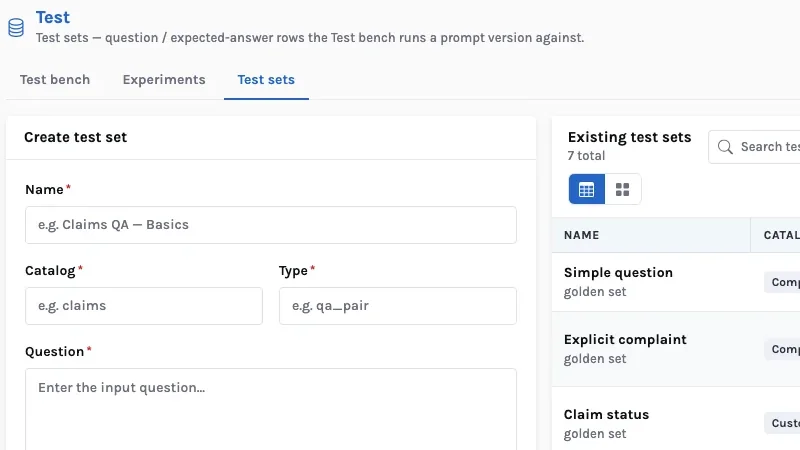
If you are responsible for model risk, you have probably been handed a spreadsheet of "AI use cases" that was out of date the day it was written. InsightPrompts takes a different approach: the register is computed from the registry itself, so it changes when a version is certified, a label moves or an app stops calling a prompt.
The Model risk page
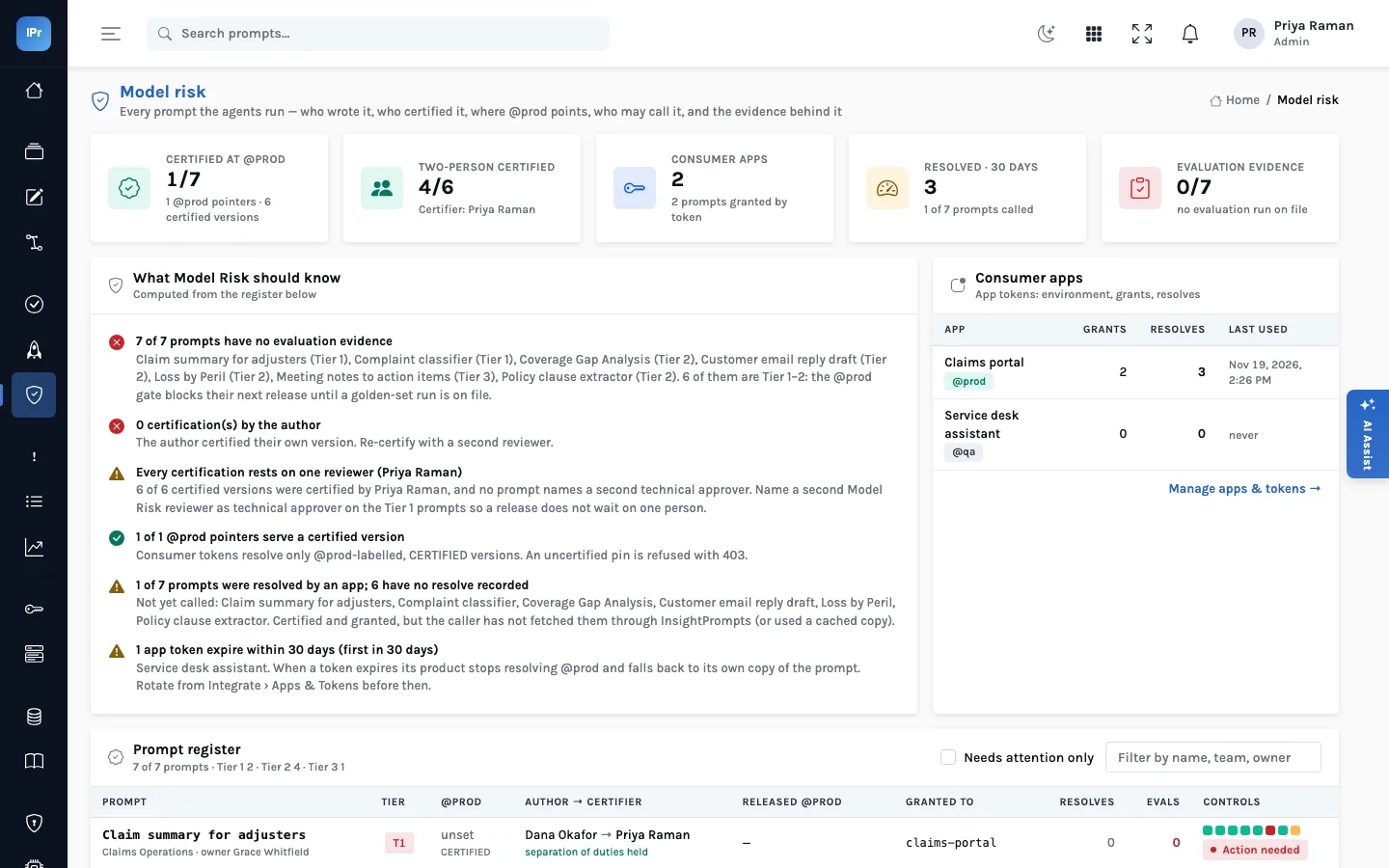
Under Release → Model risk the page answers, for every prompt the organisation runs: who wrote it, who certified it,
where @prod points, who may call it, and the evidence behind it. Across the top are five counts: prompts certified at
@prod, two-person certification, consumer apps, prompts resolved in the last 30 days, and prompts with evaluation evidence.
"What Model Risk should know"
The left panel turns the register into sentences, each with the prompts it applies to. On the demo data it says, among others:
- Prompts with no evaluation evidence, with the note that Tier 1–2 prompts among them are blocked from their next
@prodrelease until a golden-set run is on file. - Certifications by the author: the count of versions whose author certified them. On this demo it is zero, because the API refuses it.
- Every certification resting on one reviewer: all certified versions were certified by the same person, and no prompt names a second technical approver, so a release would wait on her.
- @prod pointers serving a certified version, with the reminder that consumer tokens resolve only @prod-labelled, certified versions and that an uncertified pin is refused with 403.
- Prompts not resolved by any app: certified and granted, but the caller has not fetched them through InsightPrompts, which usually means it still uses a hard-coded or cached copy.
- App tokens expiring within 30 days, and what happens if one lapses.
The single-reviewer finding is a good example of why this is computed rather than declared. Nobody would write "we depend on one person" in a policy document, but it is visible the moment the data is read.
The eight controls
| Control | Held when |
|---|---|
| 1. @prod certified | The version @prod points at is CERTIFIED |
| 2. Second-person certification | The certifier is not the author |
| 3. Technical approver | The prompt names one |
| 4. Business owner | The prompt names one |
| 5. Tier assessed | A criticality tier (1–3) is set |
| 6. Evaluation evidence | At least one evaluation run is on file |
| 7. Granted apps only | Apps reach it only through explicit grants |
| 8. Resolved in production | At least one resolve or run by an app is on record (the register also shows the last-30-day count) |
Each prompt row in the register shows the controls as a strip of coloured marks, its tier, the @prod version, author and
certifier, the apps it is granted to, resolves and evaluations, with a "Needs attention only" filter for the review meeting.
Evidence when something goes wrong
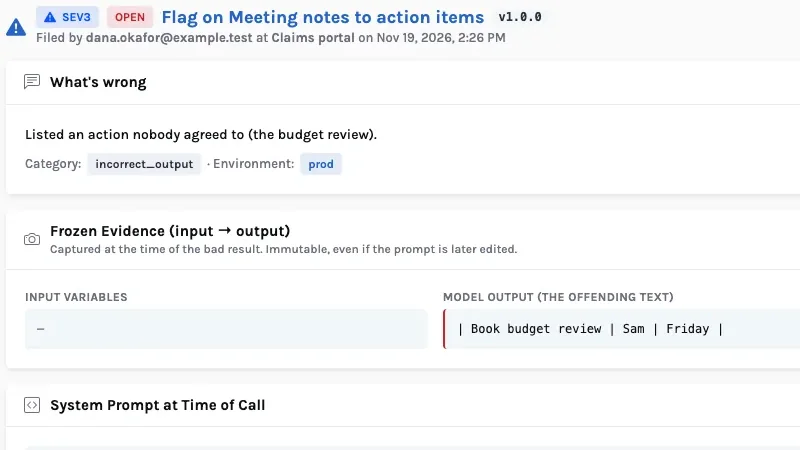
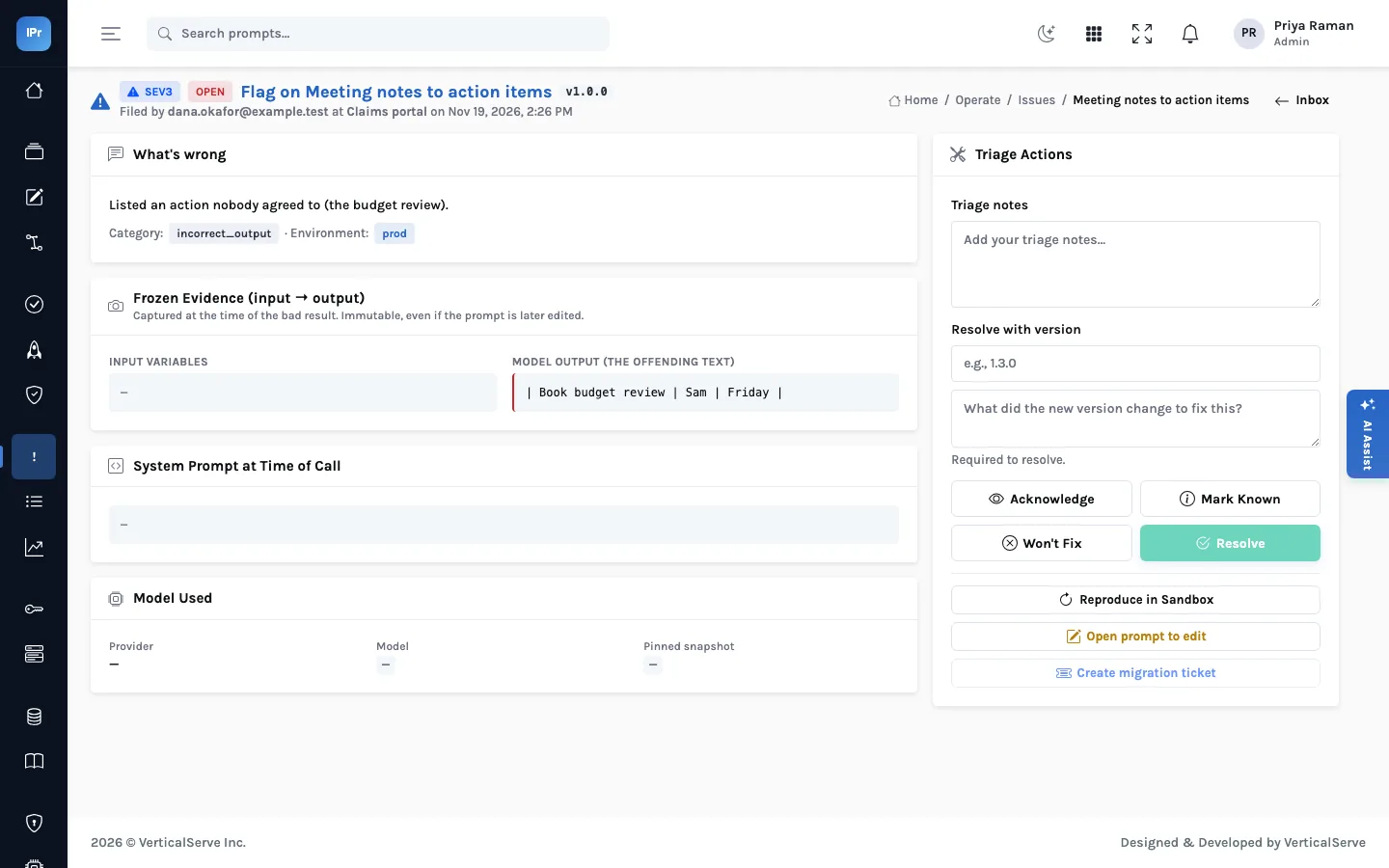
Findings are only half of the job. When an output is challenged, you need what happened. Apps can flag a bad output with a severity (sev1 to sev4). The flag freezes the input variables, the output, the system prompt and the model at the time, and links to the exact version. Those records stay put even after the prompt changes.
Pass, warn and fail
Each control is not just a tick. It has one of three states and carries the evidence it rests on, so a reviewer can see why without opening anything else.
| Control | Fail | Warn |
|---|---|---|
| @prod certified | Nothing on @prod, or @prod serves a version that is not certified | |
| Second-person certification | Not certified, or certified by its author | |
| Technical approver | None named | |
| Business owner | None named | |
| Tier assessed | No tier set (treated as Tier 3) | |
| Evaluation evidence | None on file for the @prod version of a Tier 1–2 prompt | None for a Tier 3 prompt, or the latest run passed fewer than 80% of its rows |
| Granted apps only | No app is granted the prompt | |
| Resolved in production | Certified but no resolve recorded yet |
The prompt's overall status is the worst of its eight. Two details are worth knowing when you read the evidence column. First, the
evaluation control looks at the version on @prod, not at the newest draft, and ignores runs that are not of record (a partial
run, or one where someone overrode the generation model or the judge). Second, every number comes from rows the product already writes:
versions, audit and promotion events, labels, grants, traces and evaluations. Nothing is estimated, and a control with no evidence says so.
Getting the register out of the product
The same data is available to any signed-in user of the organisation through the API: GET /api/governance/register
returns every prompt with its controls and the consumer apps, and GET /api/governance/prompts/{id} returns one prompt's
certification trail, release pointers, grants, usage, evaluations and controls. Both are read-only and scoped to the caller's organisation.
That is the route to take if your committee pack is built in another tool.
Preparing the quarterly AI model review
Harborline Mutual's model risk analyst opens Model risk the week before the committee. She filters the register to Needs attention only. Two Tier 1 prompts have no evaluation evidence, so she asks their owners for golden-set runs before their next release. Every certification rests on Priya Raman, so she asks Claims and Customer Service to name a second technical approver each. One app token expires within the month, so she raises a rotation ticket. None of this needed a questionnaire.
The audit trail behind it
Every edit, submission, approval, certification, promotion, rollback, token change and flag is an audit event. The organisation-wide Audit log lists them, and each prompt has its own Audit tab. Rows are scoped to the organisation of the person signed in.
A quarterly review checklist
- Filter to Needs attention only and work through every fail before the warns.
- For each Tier 1–2 prompt, check the evaluation evidence is for the version on
@prodand is recent enough for your policy. - Look at the reviewer pool: if one person certified everything, ask for a second approver per business area.
- Compare "granted" with "resolved": a granted prompt nobody resolves usually means a hard-coded copy lives somewhere.
- Check expiring tokens and the open flags on Tier 1 prompts.
- Record what you asked for, and check the same rows next quarter.
Frequently asked questions
Can a prompt owner hide a finding?
No. Findings are computed each time the page loads from the registry's own records; there is no field to mark a control as passed by hand.
Does it cover prompts that live outside InsightPrompts?
No. The register sees what is registered and what apps fetch through the consume API. The "resolved in production" control is the hint that something may still be running from a copy outside it.
Is the 80% pass-rate line configurable?
It is fixed in the register today. Whether a sample passes is set by EVAL_PASS_THRESHOLD (default 3.5 of 5), which is a
deployment setting.