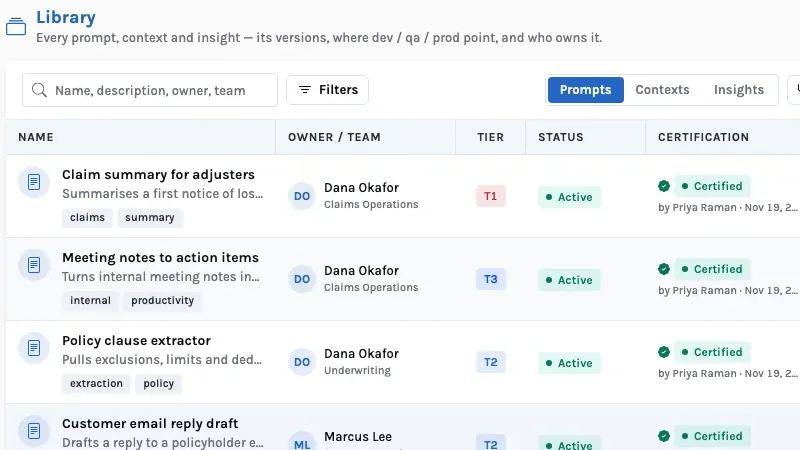
The @prod gate in InsightPrompts asks for evidence: Tier 1–2 prompts need an evaluation on file, and a new version may not score worse than production. The evidence is only as good as the test set behind it. This guide covers writing that set, running it, and using experiments when a test set is not enough.
Where test sets live
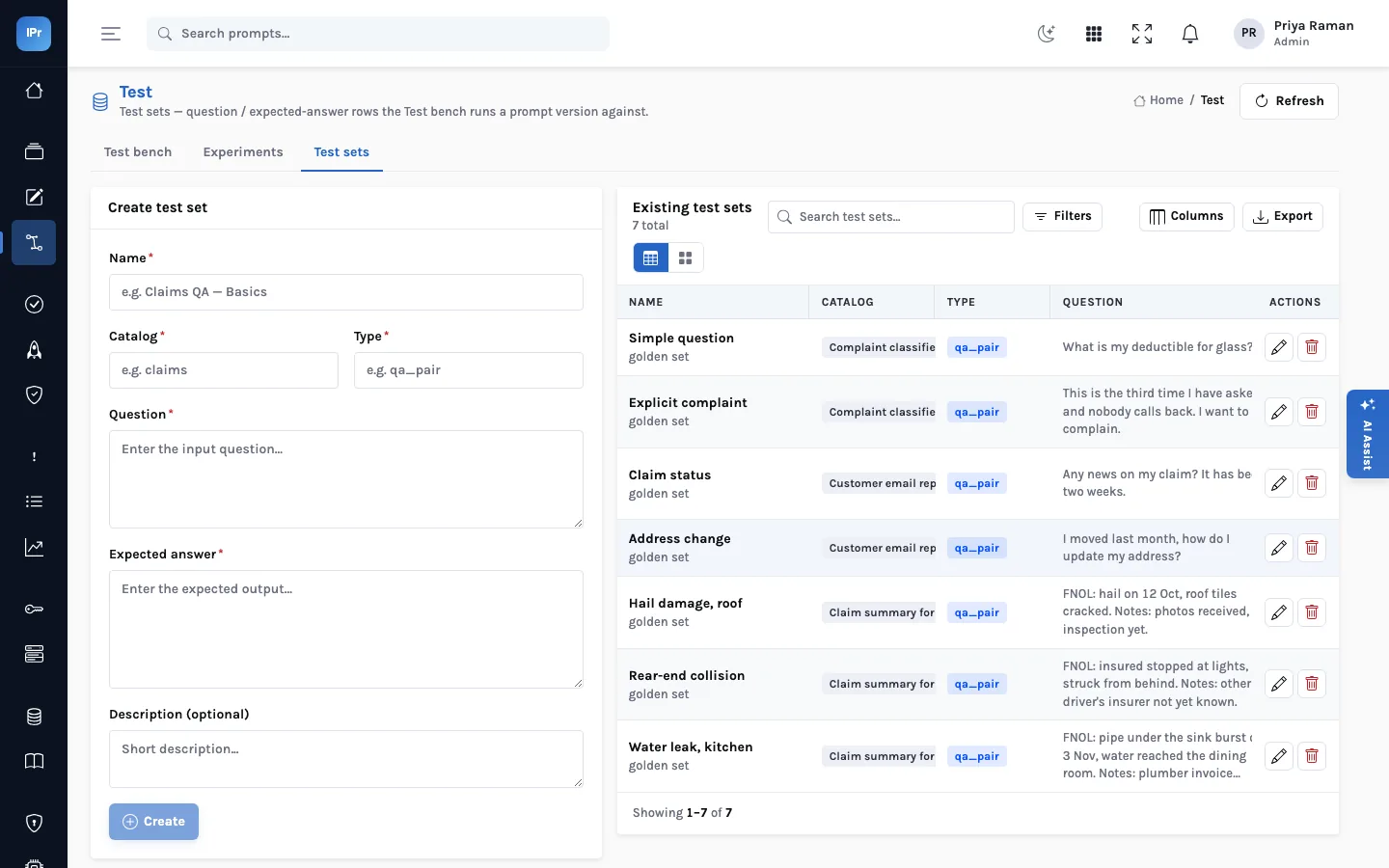
Under Test → Test sets, each row has a name, a catalog, a type, a question (the input) and an expected answer (the reference). The catalog is the important field: when a version is evaluated without naming a dataset, InsightPrompts first looks for rows catalogued under the prompt's own name. That is the prompt's golden set. Only if there is none does it fall back to the organisation's other rows.
Writing rows that catch real failures
An evaluation scores each answer against its reference with a judge model, on relevance, accuracy and coherence, each from 1 to 5;
the row's score is their mean, and a row passes at 3.5 by default (EVAL_PASS_THRESHOLD). The judge can only check what the
reference says, so write references as checkable statements, not model answers.
| Weak reference | Better reference |
|---|---|
| "A good summary of the claim." | "Mentions the burst pipe, the kitchen and dining room, the 3 Nov date, and that the plumber invoice is missing." |
| "A polite reply." | "Acknowledges the wait, says the adjuster will be in touch, and makes no promise about the outcome." |
| "Correct classification." | "COMPLAINT" (for a classifier, the exact label) |
- Cover the rule you are most afraid of breaking. If the summary must never state coverage, write a row where the temptation is strongest and say so in the reference.
- Include the boring cases. An address change and a deductible question catch the regressions that happen when someone tunes the prompt for the dramatic cases.
- Keep rows small and specific. Ten precise rows beat a hundred vague ones, and are cheaper to run on every version.
- Never paste real customer data. Write synthetic inputs that have the same shape.
Running it
The Test bench runs a version ad hoc (you type the inputs) or against a test set, with a chosen model, temperature, max tokens and top-p. Results can be rated and exported, and each run is traced like any other call. The version's evaluate action runs the golden set and records a PromptEvaluation: the score, the pass rate and the per-row details. That record is what the @prod gate reads.
EVAL_JUDGE_MODEL_ID.When a test set is not enough: experiments
Some questions a fixed reference cannot answer: does the shorter reply get fewer thumbs-down, does the new wording run faster or use fewer tokens? Under Test → Experiments you define a hypothesis, the variants (a control and one or more treatments), a traffic percentage, a duration and a success metric.
While an experiment is running, each trial is sent through the experiment's run action with a set of inputs. InsightPrompts picks a
variant by the traffic weights, calls the real model with that variant's version and records a trace tagged with the experiment and
variant. Consume calls from applications are not split between variants automatically; trials come from whoever, or whatever script, runs
them. The success metric decides what a "success" is for each trace: a successful status, no error, positive feedback (a thumbs-up or a
rating of 4 or more, joined by trace_id), or latency or token count below the median across all arms. InsightPrompts then compares each treatment with the control using a two-proportion z-test. It refuses to
call anything until every arm has at least 30 samples, and treats a difference as significant only when p < 0.05. If
nothing is significant, there is no winner, and the experiment says so rather than picking whichever number is higher.
What an evaluation run actually does
It helps to know the mechanics, because they decide whether a run counts:
- The version runs on the model it pins. Generation uses the version's own provider, model and parameters, or the pin of the newest earlier version that has one. A version with no pin anywhere is refused, rather than quietly run on a provider default.
- One judge per deployment. The judge is
EVAL_JUDGE_MODEL_ID. You can ask for a different judge, or a different generation model, for one run, but that run is recorded as an override. - Overrides and partial runs are not evidence. They stay on file for comparison, but the @prod gate and the Model risk register ignore them. A run is partial when it covers fewer rows than the golden set has. The default run takes up to 25 rows, so if a prompt's golden set is bigger, raise the limit for the run that should count.
- Failures are recorded, not scored. A row whose model call fails is stored with its error and counts as not passed. If every row fails, no evaluation is written at all.
A worked example
A golden set for an email classifier
The service desk runs a Tier 2 prompt that labels incoming customer emails as COMPLAINT, CLAIM_UPDATE, ADDRESS_CHANGE or OTHER. Its author writes eleven rows under the prompt's name: three plain complaints, one complaint written politely enough to look like an update, two claim updates, two address changes, one email that mentions an address only in a signature, and two that belong in OTHER. Each reference is the exact label.
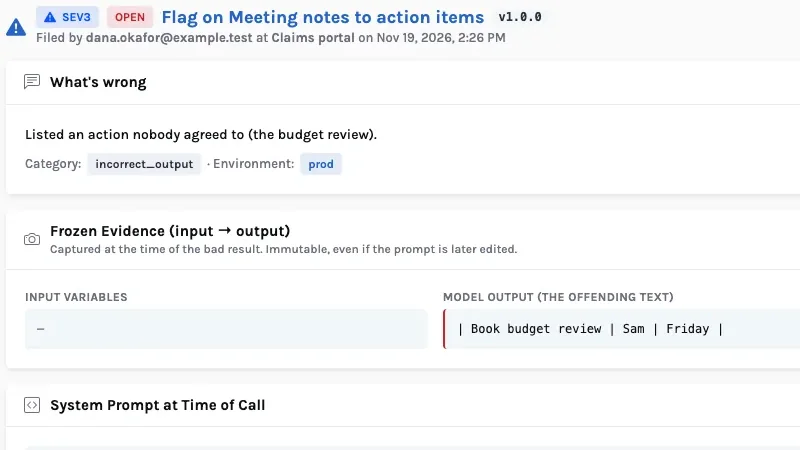
She evaluates the version on @prod first to get a baseline, then the candidate that adds a sentence about signatures. The candidate's score is within the tolerance, so a reviewer can release it. When a later flag shows a complaint misread as OTHER, the flagged email, rewritten with made-up details, becomes row twelve.
A routine that works
- Write 8 to 15 golden rows per Tier 1–2 prompt, catalogued under the prompt's name.
- Evaluate the current @prod version once, so there is a baseline.
- Evaluate every candidate version before asking for @prod; the gate compares it with the baseline.
- When a row fails in a way the reference did not anticipate, tighten the reference or add a row.
- Use an experiment for questions about behaviour across many runs (feedback, errors, latency, tokens), and let it run until it reaches 30 samples per arm.
- Add a row for every production flag you fix, so the same failure cannot come back.
The last step closes the loop with handling a bad output in production.
Frequently asked questions
How many rows is enough?
There is no number the product enforces. Enough is when every rule you care about has at least one row that would fail if the rule were broken, and the set is small enough that people actually run it on every version.
Can we use the same rows for several prompts?
Yes, by naming a catalog explicitly when you evaluate. By default the run looks for rows catalogued under the prompt's own name, which keeps each prompt's evidence separate.
Can an experiment release the winner on its own?
No. Once an experiment is completed, a variant can be promoted from it, but that promotion goes through the normal gate: the version must be certified, the promoter must not be its author, and the regression check applies. The record notes whether the promoted variant was a statistically significant winner.