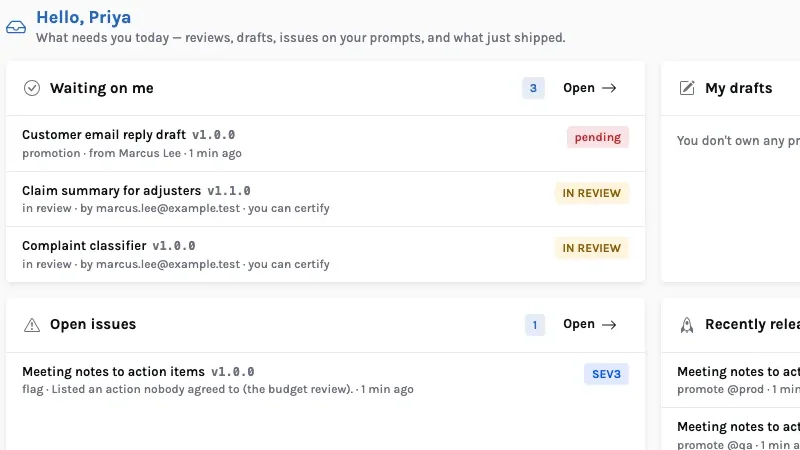
A registry only helps if applications use it. InsightPrompts has a second, separate API for that: the consume plane. Consumer applications call it with an app token, never with a person's sign-in, and get back whatever the token's environment label points at.
Apps and tokens
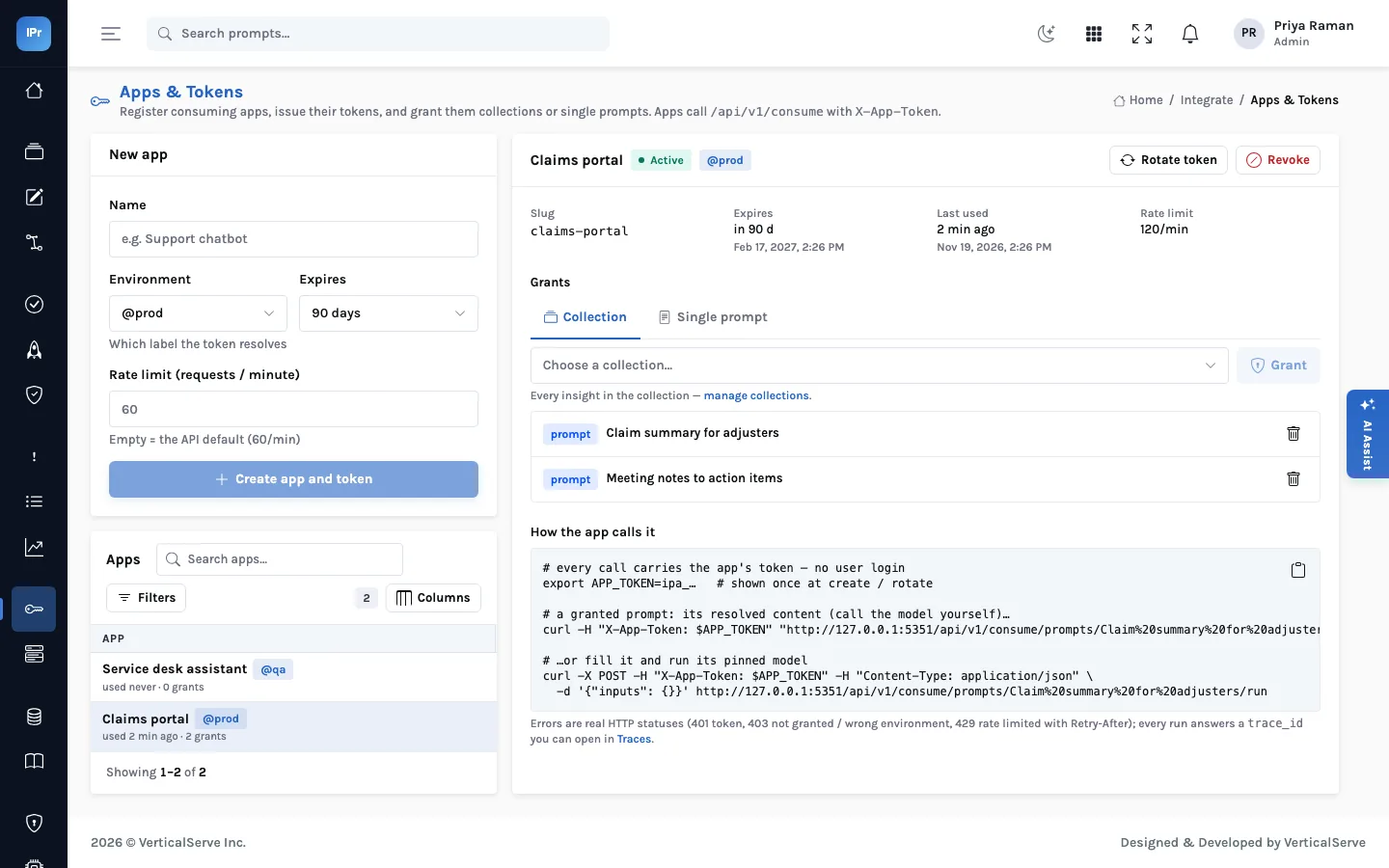
Under Integrate → Apps & Tokens you register each consuming application. An app has:
- An environment. The label its token resolves:
@prod,@qaor@dev. A@prodtoken can never be used to fetch a draft. - An expiry, chosen when the token is issued (30, 90 days and so on). The Model risk page lists tokens that expire in the next 30 days so they can be rotated in time.
- A rate limit in requests per minute. Empty means the API default of 60.
- Grants. An app can only fetch what it has been granted: single prompts, or a collection of prompts and insights.
The token is shown once, when it is created or rotated. Rotating keeps the previous value working for a grace period (60 minutes by default) so you can roll the new one out without downtime. Revoking stops it immediately.
What a call does
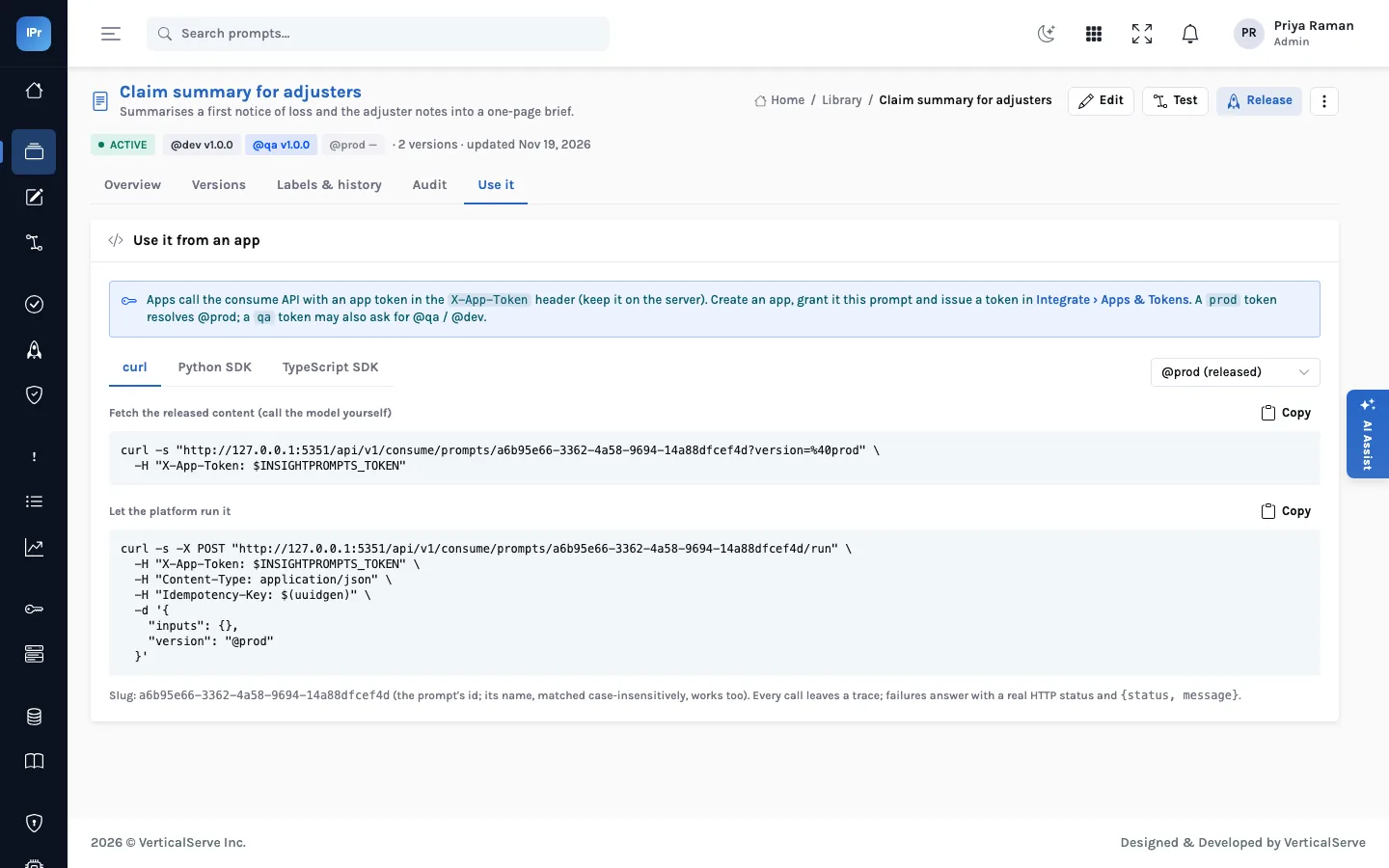
There are two ways to use a released prompt:
| Call | What you get | Needs a model in InsightPrompts? |
|---|---|---|
GET /api/v1/consume/prompts/{slug} | The resolved prompt: system prompt, template, variables, model and parameters of the version the label points at. You call the model yourself. | No |
POST /api/v1/consume/prompts/{slug}/run | InsightPrompts fills the template with your inputs, calls the pinned model (with its fallback) and returns the answer. Supports an Idempotency-Key header. | Yes |
…/consume/insights/{slug}/resolve and /run | The same for insights: context items resolved and assembled into the prompt, optionally run. | Run only |
The slug can be the prompt's id or its name. Failures are ordinary HTTP statuses: 401 for a bad or expired token, 403 for a prompt
the app was not granted or a version that is not certified for that environment, 404 with not_released when the label is
not set, and 429 with Retry-After when the app goes over its rate limit.
Traces
Every consume call, and every Test bench run, writes a trace with a trace_id that is returned to the caller.
A trace records the prompt and the exact version, the app, the environment, the source (consume or test bench), status, latency and,
for runs, the model and token counts. The Traces page filters them by time, status, prompt, app and environment.
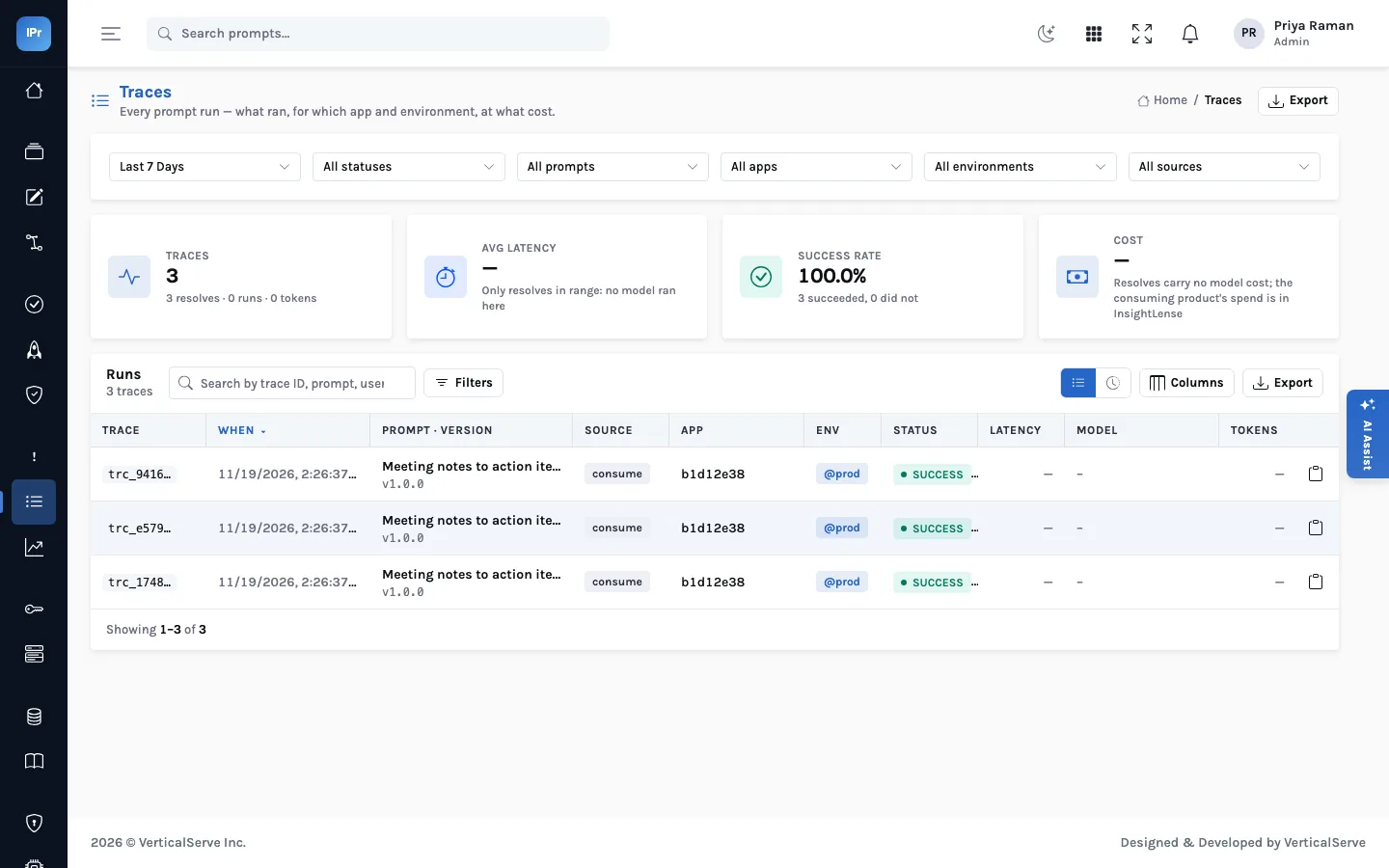
Because the trace names the version, "what did we send the model for this customer's request?" is a lookup, not an investigation.
The same trace_id is what an app passes when it flags a bad output, which ties the complaint to the exact wording; see
Handling a bad output in production.
Collections: grant a set, not a list
Granting prompts one by one is fine for a small app. For a product that uses a dozen prompts and insights, put them in a
collection under Integrate → Collections and grant the collection. The app can then list the collection's items through
the consume API (/api/v1/consume/collections/{slug}/items) and fetch each one, and adding a prompt to the collection makes it
available to every app that holds the grant. Each item is still resolved through the token's label, so a collection never exposes a draft.
Usage feeds the risk view
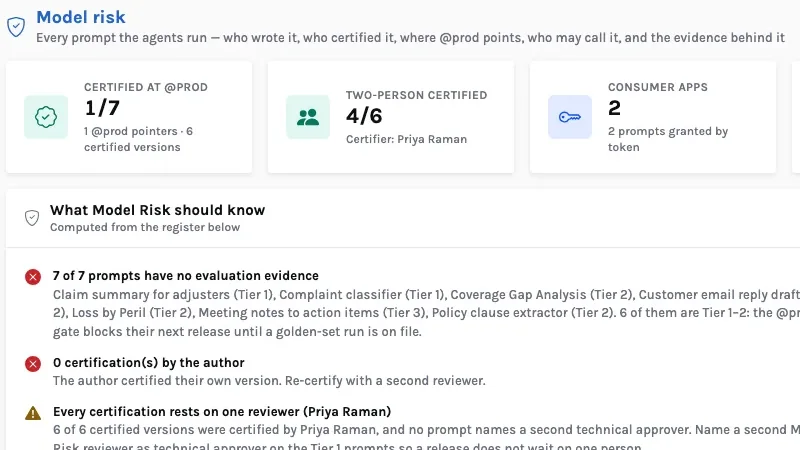
The registry knows which apps resolved which prompts in the last 30 days. The Model risk page uses that to flag prompts that were certified and granted but never fetched (the caller probably still has a hard-coded copy) and apps whose tokens are about to expire.
Choosing which version to ask for
Every consume call takes an optional version. It is always clamped to the token's environment:
| You send | What resolves |
|---|---|
@prod, @qa or @dev | That label, if the token's environment allows it. A @prod token may resolve only @prod; a @qa token may resolve @qa or @dev; a @dev token only @dev. Anything else is a 403. |
Nothing, or latest-certified | The highest label the environment allows that is set. A @dev token with no label set falls back to the newest certified version. |
An exact version such as 1.0.0, or ^1.0 | That version, which must be CERTIFIED; otherwise 403. |
latest | Refused with a 400. There is no way to ask for whatever was saved last. |
For most applications the right choice is to send nothing and let the token's label decide, so a release or a rollback reaches the app without a code change. Pinning an exact version is for the rare caller that must not move until its own team has tested the next one.
Errors your code should expect
Besides the 401, 403, 404 and 429 above, the data plane answers 410 when a prompt or version has been retired, 413 for a request body
over 64 KB, 409 while a request with the same Idempotency-Key is still running, 422 when that key is reused with a different
body, and 503 when no model is available for a run. A prompt or version that is deprecated but not yet retired still answers, with
Deprecation and Sunset headers. Runs and resolves return a trace_id in the body and an
X-Trace-Id header on failure as well as success.
The client libraries
The product repository includes a Python and a TypeScript client for the consume API. Both retry 429, 503 and network errors with
exponential backoff and honour Retry-After; both send an Idempotency-Key on every run (yours, or one generated per
call), and the server replays the stored response for 24 hours, so a retry never runs the model twice. Reads are cached for a configurable
number of seconds, and if the server cannot be reached the last copy that was fetched successfully is returned instead (the Python client
marks a prompt fetched this way as stale).
Moving the claims portal off a hard-coded prompt
The claims portal team has the claim summary wording in a constant. They register the portal under Apps & Tokens with environment @qa, grant it the prompt, and change one function: instead of reading the constant, it fetches the prompt with no version and fills the template itself. In the QA environment the portal now serves whatever @qa points at.
For production they register a second app on @prod with its own token and rate limit, stored in their secrets manager. When the next version is certified and promoted, the portal picks it up with no deploy, and every fetch appears under Traces with the portal's name and the version it received.
A checklist before going live
- One app per environment, each with its own token, so a QA token can never read production releases and vice versa.
- Grants limited to what the app actually uses, or one collection per product.
- An expiry and a calendar reminder to rotate; rotate with the grace window rather than revoking.
- A rate limit sized for the app's real traffic, with the client's retry handling 429s.
- The
trace_idkept with whatever the app shows the user, so a complaint can be tied to the version.
Frequently asked questions
Does a fetch cost model tokens?
No. A fetch only returns the released content and records a trace with no model call. Only the run calls use a model configured in InsightPrompts.
What if InsightPrompts is down?
With the clients' cache, an app that has fetched a prompt before keeps working from its last good copy. An app that has never fetched it has nothing to fall back on, so warm the cache at start-up if that matters to you.